Complication Line
A thin bar complication slot for one line of short text.
About 2 minutes
A Complication Line is a thin bar slot for one line of short text, such as the step count or the date, that the wearer can repoint. It only ever shows short text, so it has no shows dropdown. It's a watch face object: you'll find it in Add Object on watch face projects only. See Complications.
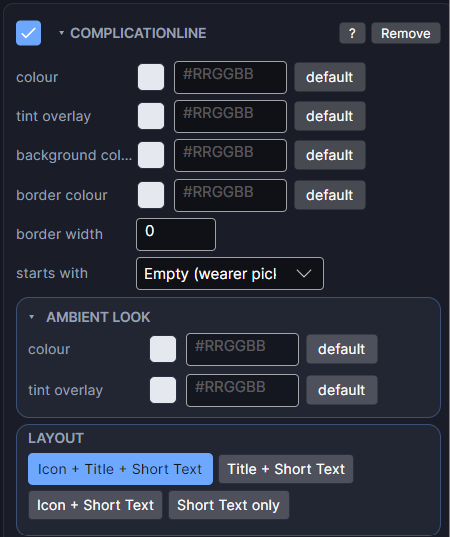
Settings
| Setting | What it does |
|---|---|
| colour | Text colour. |
| style / colour # | Only shown when your project has Color Styles. Binds the colour to a style so the wearer can recolour it on the watch. |
| tint overlay | A fixed colour laid over the whole slot. |
| background colour | A fill drawn behind the slot. Leave it blank for no background. |
| border colour | The colour of an outline around the slot. |
| border width | How thick that outline is, in pixels. 0 means no border. |
| starts with | What the slot shows before the wearer picks anything, such as step count, date or next event. Empty (wearer picks), the default, leaves it blank until they choose. |
| fixed | Appears once starts with is set. The wearer can't change this slot; it always shows the source above. |
| ambient look | How the slot looks in always-on mode, if it should differ (see the shared settings). |
| Layout | Buttons that build the slot's inside for you: Icon + Title + Short Text, Title + Short Text, Icon + Short Text or Short Text only. |
Good to know
- New lines start empty. Set starts with (step count is a good choice) if you want it filled the moment the face is installed.
- Only sources that supply short text fit a line: battery, steps, heart rate, the date and time sources, world clock, next event and sunrise and sunset.
- Complications can't sit inside a Group that has a Mask, Group Tint or Gyro.
Every object also has the shared rows (position and size, ambient look, show when, Color Style and more), explained once in Settings Every Object Shares.