← All tutorials
Curved Text
Text that follows the round edge of the face, with its own curve, direction and letter flip.
About 3 minutes
Text that bends along a curve instead of running straight, perfect for a face name around the top of the dial or labels that hug the bezel.
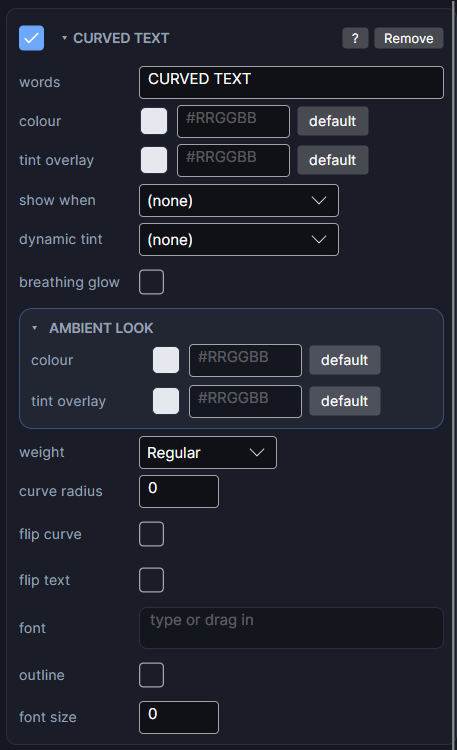
Settings
It has the same text rows as Text (words, colour, weight, font, alignment, outline), plus:
| Row | What it does |
|---|---|
| curve radius | How tightly the text curves, in pixels. 0 uses a fixed radius that hugs the bezel. A larger number is flatter, a smaller one is tighter. Moving the object never changes the curve itself. |
| flip curve | Bends the arc the other way: a smile becomes a frown. Useful for text along the bottom of the dial that should read left to right. |
| flip text | Turns every letter 180 degrees along the same arc, so the words hang from the curve instead of sitting on it. |
| font size | Size along the curve. 0 uses the object's height. |
Text along the bottom
For words along the bottom edge that read the right way up, turn on flip curve (and flip text if the letters face the wrong way), then move the object down.
Every object also has the shared rows (position and size, ambient look, show when, Color Style and more), explained once in Settings Every Object Shares.