Grid Highlight
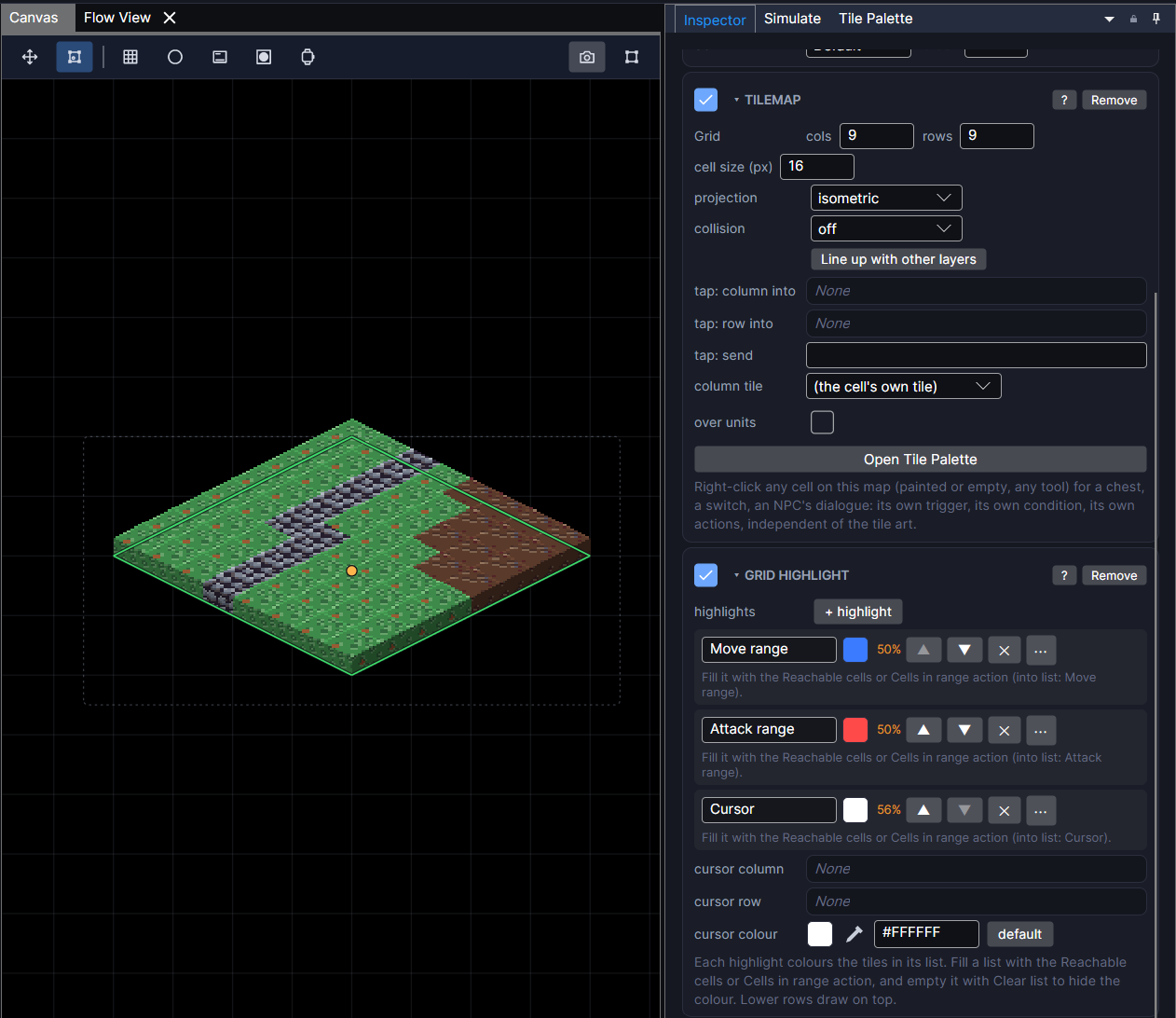
Grid Highlight tints tiles on your map for tactics games: blue squares where a unit can move, red where it can attack, and an outline around the cursor's tile.
About 3 minutes
Grid Highlight colours tiles on your map for tactics games: blue where a unit can move, red where it can attack, gold for a spell's area. It can also outline the tile your cursor is on. Works on square and isometric maps (isometric maps get diamonds). Games only.
Put it on your Tilemap object. It always draws on the screen's first tilemap.
How it works
Each highlight is a colour plus a list of tiles to paint in that colour. You never fill the list by hand. An action works out the tiles for you and drops them in, and the colour appears right away. Empty the list and the colour disappears.
Here's a move range from start to finish:
- Add Grid Highlight to your Tilemap. It comes with one highlight, already named Move range, in blue.
- When the player selects a unit, run the Reachable cells action with move set to
4and into list set to Move range. Every tile the unit can walk to turns blue. - When the move is done, run Clear list on Move range. The blue goes away.
For an attack range, press + highlight to add Attack range in red, and fill it with the Cells in range action instead. Same idea, different colour.
Settings
| Setting | What it does |
|---|---|
| + highlight | Adds a highlight with its own new list and the next colour (red, gold, green, purple and so on). Add as many as you need. |
| name | The highlight's list. This is the name you pick in an action's into list. Rename it here and every action using it follows. |
| colour (swatch) | The colour for this highlight, with its own opacity. Keep it see-through so the tiles stay readable. |
| ▲ / ▼ | Moves the highlight up or down. Lower rows draw on top. |
| ✕ | Removes the highlight. Its list stays in your project. |
| ⋯ | Points the highlight at a list you already have, or makes a new one. |
| cursor column / cursor row | Optional. The variables holding the cursor's position. When both are set, the tile there gets an outline. Use the same variables a Grid Cursor moves, and the outline follows it. |
| cursor colour | The colour of the cursor outline. White by default. |
The actions that fill a highlight
These are in the Tactics grid group of actions. In their into list dropdown, lists used by a Grid Highlight come first, marked "(highlight)".
- Reachable cells: every tile a unit can walk to, with its move and jump. Use it for move ranges.
- Cells in range: every tile within a distance, in a diamond, square or other shape. Use it for attacks and spells.
- Clear list: empties a list, which hides that highlight.
Good to know
- Lower rows draw on top, so put the highlight that matters most at the bottom.
- Highlights only show while the game runs, in Preview or on the watch. The Scene view doesn't draw them while you edit.
- On isometric maps with heights, highlights sit on top of each tile's surface.
- Projects made before named highlights open with their existing lists as rows, in the same order and colours.
- Works in Preview and on both Wear OS and Apple Watch. Grid Highlight is a Game feature; it doesn't appear in App or Watch Face projects.
- For the curious: each tile in a list is stored as one number counted across the map (row × columns + column). You only need this if you build a list yourself with list actions.