← All tutorials
Text
Words on the face: a label, a face name, or any fixed text, with font, size, alignment, wrapping and outline.
About 2 minutes
The basic label: any words you type, drawn with your choice of font, size and alignment. On a watch face it's fixed text, such as a face name, a label under a gauge, or a decorative word. For the time or date, use Digital Clock or Date Text instead; they update by themselves.
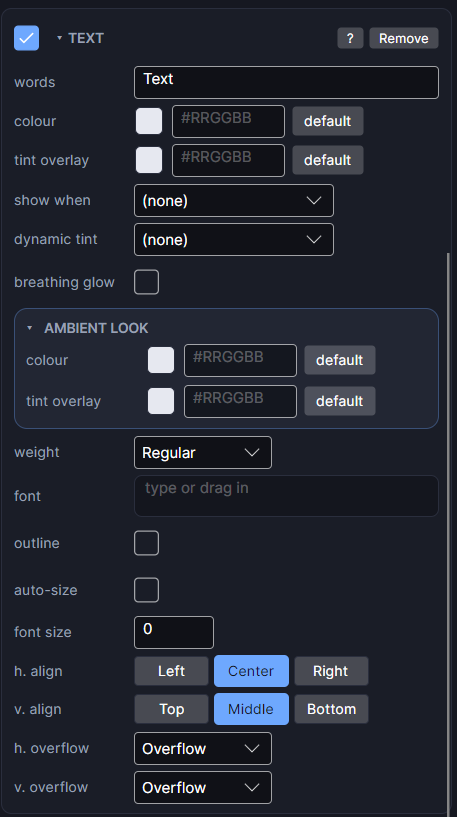
Settings
| Row | What it does |
|---|---|
| words | The text itself. |
| colour | Text colour and opacity. |
| weight | How bold the font is. |
| font | The typeface. Empty uses the watch's default font. |
| font size | The size to draw at. 0 means automatic (half the box's height). |
| auto-size | Fit the text to its box instead of a fixed size. min and max set how small and how big it may get. |
| h. align / v. align | Where the words sit in the box, left to right and top to bottom. |
| h. overflow | Overflow keeps one line that can run past the box's width. Wrap breaks onto more lines to stay inside it. |
| v. overflow | Only matters when wrapping made several lines. Overflow lets extra lines spill past the box's height; Truncate cuts them off with "…". |
| outline | A real outline around every letter, with its own colour and width. |
Wrapping on a real watch
Keep watch face text short. Long wrapped text is hard to read at a glance, and the box you set is what the watch uses.
Every object also has the shared rows (position and size, ambient look, show when, Color Style and more), explained once in Settings Every Object Shares.