← All tutorials
Weather Sprite
A picture that changes with the weather: a fallback image plus one row per condition.
About 5 minutes
Like an Image, but the picture changes with the current weather: a sun when it's clear, rain clouds when it rains. It reads the watch's own weather data, so it doesn't use a complication slot.
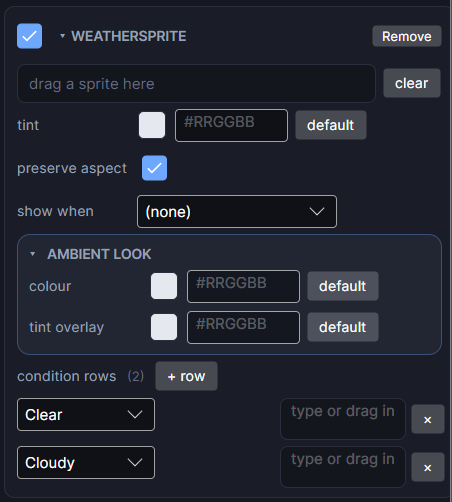
Settings
| Row | What it does |
|---|---|
| source | The fallback picture, shown when no row matches or when there's no weather data yet. |
| tint | A colour laid over whichever picture is showing. |
| preserve aspect | Keeps each picture's shape instead of stretching it to the box. |
| condition rows | One row per condition you want its own art for: pick the condition and drop a picture on it. Click + row to add another. Conditions without a row use the fallback. |
The Scene shows the row for the weather set in the Simulate tab, so you can check every picture.
What it doesn't have
Draw mode (sliced or tiled), blend mode and flip aren't available on Weather Sprite yet, unlike a full Image.
Every object also has the shared rows (position and size, ambient look, show when, Color Style and more), explained once in Settings Every Object Shares.