Analog Clock
Hour, minute and second hands that always show the real time, with hand art, smooth sweep, shadows and wearer-selectable hand styles.
About 4 minutes
Classic hands that always show the real time. When you add one, it comes with three locked child objects in the Hierarchy: Hour Hand, Minute Hand and Second Hand. Each is an Image, so you pick its picture, colour and size by selecting it.
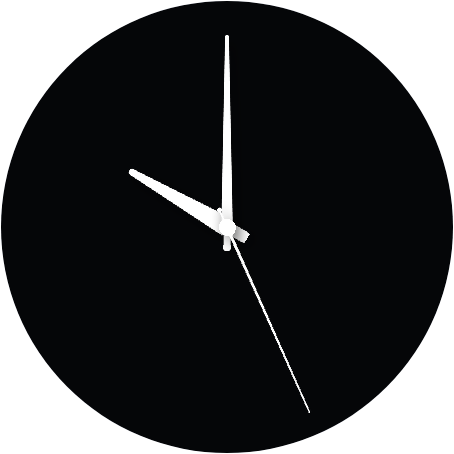
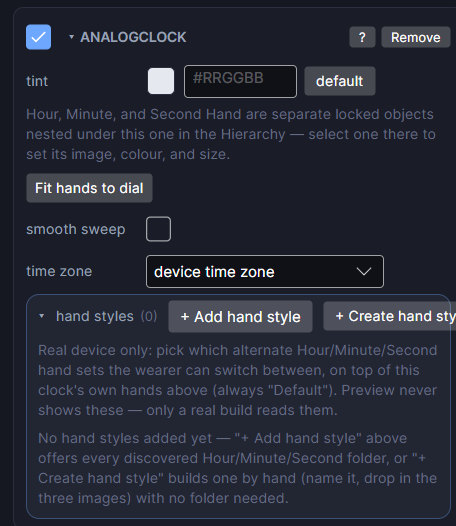
The clock's settings
| Row | What it does |
|---|---|
| tint | A colour laid over all three hands at once. |
| Fit hands to dial | Button. Lines the hands up with the clock's box again after you resize the clock or swap hand pictures. |
| smooth sweep | The second hand glides instead of ticking once a second. Looks lovely, but uses more battery. |
| hand styles | Alternative sets of hands the wearer can pick from on the watch. Add styles, give each its hour, minute and second pictures, set the default, and name the setting with title. |
| time zone | Show another city's time instead of the wearer's own, for a world clock or GMT subdial. Daylight saving is handled for you. Leave it on device time zone for a normal face. |
Each hand
Select a hand in the Hierarchy. It's an Image, so it has source (the hand picture), tint, preserve aspect and drop shadow. Draw hand pictures pointing straight up, with the pivot where the hand should turn. See Image.
Hands have their drop shadow on by default, which makes them look raised above the dial. Give the hour hand a bigger shadow distance than the minute hand to make them look stacked.
New watch face projects include a set of hand pictures, and the Packages window has more hand styles to install. A hand with no picture still shows as a drawn line while you design.
Clocks stay visible in ambient by default. The second hand usually shouldn't: select it and click its Ambient dot to hide it.
Every object also has the shared rows (position and size, ambient look, show when, Color Style and more), explained once in Settings Every Object Shares.