← All tutorials
Tick Ring
Tick marks or hour numerals evenly spaced around the dial: Arabic, Roman, with gaps and custom spacing.
About 3 minutes
Evenly spaced tick marks or numbers around the edge of the dial, the classic watch index. Pure geometry, so it needs no pictures and has no data to fail.
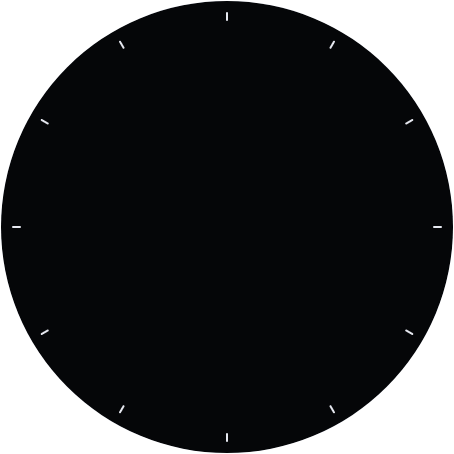
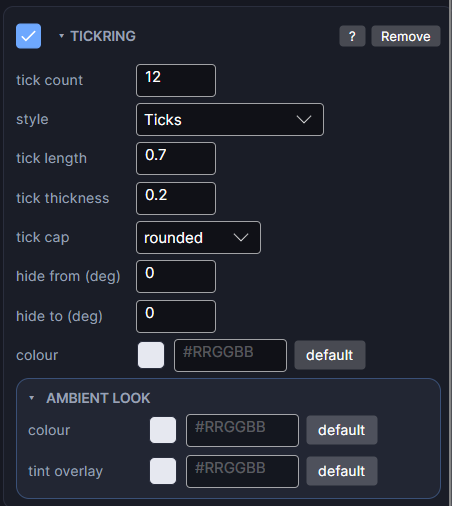
Settings
| Row | What it does |
|---|---|
| tick count | How many marks or numerals. 12 for hours, 60 for minutes. |
| style | Ticks (marks), Numerals (1, 2, 3) or Roman (I, II, III). |
| tick length | How far each mark reaches toward the centre, as a share of the box's height. |
| tick thickness | How thick each mark is, as a share of the box's height. |
| tick cap | Rounded or flat ends on each mark. |
| font | For numerals: the typeface. |
| face center | For numerals: turns each number to face the centre instead of always reading upright. |
| skip count | Multiplies each number. 4 positions with skip count 3 reads 3, 6, 9, 12. |
| hide from / hide to | A span with no marks, in degrees (0 is 12 o'clock, clockwise), to leave room for a date window or logo. Equal values hide nothing. |
| colour | Colour of the marks or numbers. |
Layering
Stack two Tick Rings for a full dial: 60 thin short ticks for minutes, and 12 longer, thicker ones on top for hours.
Every object also has the shared rows (position and size, ambient look, show when, Color Style and more), explained once in Settings Every Object Shares.