QR Code
Draws a QR code of any link or text, ready to scan with a phone camera.
About 2 minutes
Draws a QR code of any link or text, ready to scan with a phone camera. It's made for sign-in screens: show the link from Start sign-in so the player can finish signing in on their phone. It works for any link too, like a support page or your other games.
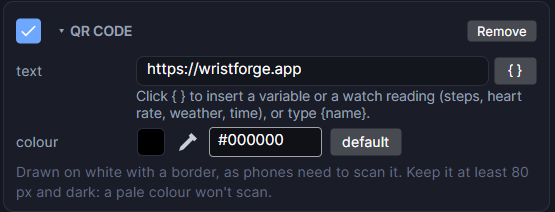
Add it from Add Object or Add Component, under Look.
Settings
| Setting | What it does |
|---|---|
| text | What the code holds: a link or any text. {variable} names are filled in live, so {signInLink} shows whatever link is in that variable right now. |
| colour | The colour and opacity of the dark squares. |
The code is always drawn on a white square with a quiet border around it, centred in the object's box, because phones need that to scan it.
Example: a sign-in screen
- Add a Start sign-in action (in the Account group) to the screen, and have it write its link into a variable, for example
signInLink. - Add a QR Code and set text to
{signInLink}. - Add a Text under it: "Scan with your phone to sign in".
See Signing Players In for the whole flow.
Good to know
- Keep it at least 80 pixels across and use a dark colour. A pale colour or a tiny code won't scan.
- Keep the text short. Empty text, or text longer than about 230 characters, draws a plain white square.
- New QR codes start as a 96 by 96 black code of
https://wristforge.app. - Games and apps, not watch faces. Works in Preview and on both Wear OS and Apple Watch.