Animator
A state machine of named sprite-sheet clips, switching as your own variables change.
About 2 minutes
Plays an Animator: a small set of animation clips (states) that switch by themselves as your variables change. Idle while standing, walk while moving, attack while attacking is 1. Use it once a character needs more than one repeating motion.
Making an animator
- Right-click in the Project panel and choose New animator, or press New animator… on the component.
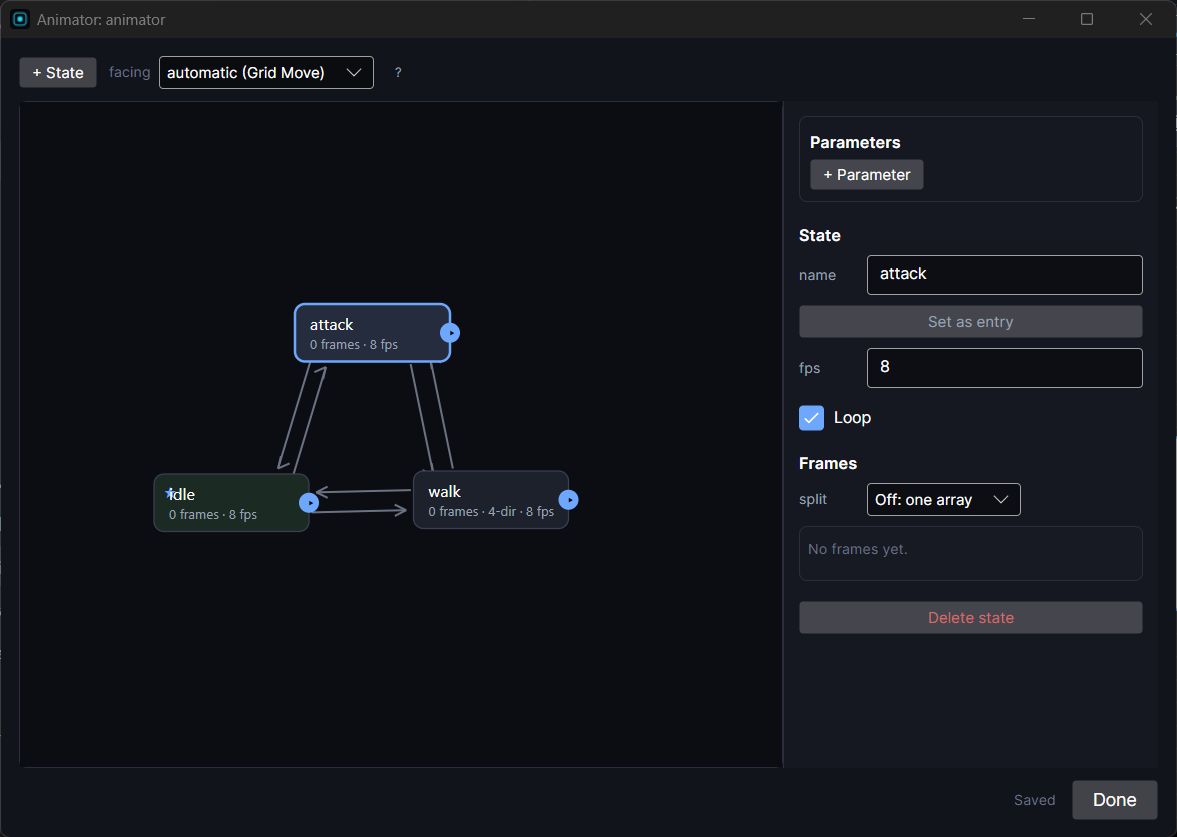
- In the Animator window, add a state for each clip (idle, walk, attack). Give each one its frames, its speed and whether it loops. A state can also have frames per facing direction.
- Add transitions between states. Each one tests a variable (for example
speed > 0goes from idle to walk). - Pick which state it starts in (the entry state).
Settings
| Setting | What it does |
|---|---|
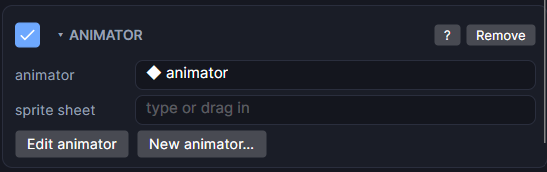
| animator | Which animator to play. Pick one, or drag one in from the Project panel. If you have none yet, a note tells you how to make one. |
| sprite sheet | Optional. Plays the same animator with a different sheet, sliced the same way (same frame numbers). Lets every NPC share the player's animator with their own art. Blank uses the animator's own frames. |
| entry | A thumbnail of the first frame of the state it starts in, so you can check the art. |
| Parameters | One row for each variable the animator reads. Put this object's own variable in a row to use it instead. Blank reads the variable with the animator's own name. Handy when several objects share one animator. |
| flip facing left | Only on older objects that used it with Grid Move. Untick it and use Left uses Right, flipped on the state in the Animator window instead. |
| Edit animator | Opens the picked animator in the Animator window. |
| New animator… | Makes a new animator and picks it here. |
Good to know
- Picking an animator moves the object's pivot to match its art, so snapping and rotating use the sprite's own pivot.
- Animator wins over a Sprite on the same object. Play Animation wins over both.
- For clothing or gear layered on a character, use match parent frame on the layer's Image so it follows this Animator.
- Games and apps only, not watch faces. Runs in Preview and on both Wear OS and Apple Watch.