← All tutorials
Mask
Use an object's shape to cut out the others in its Group: a photo in a circle, a gradient inside the time.
About 4 minutes
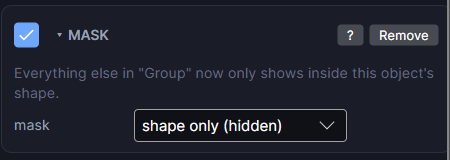
The Mask component (Add Component, watch faces only) turns an object into a cut-out: the other objects in the same Group only show inside its shape. Think of a photo cropped to a circle, a gradient that shows only inside the time digits, or art revealed through a window.
How to set it up
- Put the mask object and the objects it should cut into the same Group. Drag them onto one Group in the Hierarchy.
- Select the object whose shape should do the cutting (often a Shape, a Digital Clock or an Image) and add the Mask component.
- Everything else in the Group now only shows inside the mask's shape.
Settings
| Row | What it does |
|---|---|
| mask | Shape only: the mask object is invisible and only cuts the others. Shape + draw it: it also shows, like a frame whose inside reveals the art. |
In the Scene, a mask object has a dashed cyan outline so you can find it.
Only inside a Group
A mask only affects objects in its own Group. A mask at the top level of the face does nothing, and the Inspector warns you.
Complications
Complications can't be inside a masked Group on a real watch, so they're kept outside it when you build.