← All tutorials
Moon Phase
The current moon phase as its name, its day in the lunar cycle, or your own picture for each phase.
About 4 minutes
Shows today's moon phase, from the watch's own moon data. It doesn't use a complication slot.
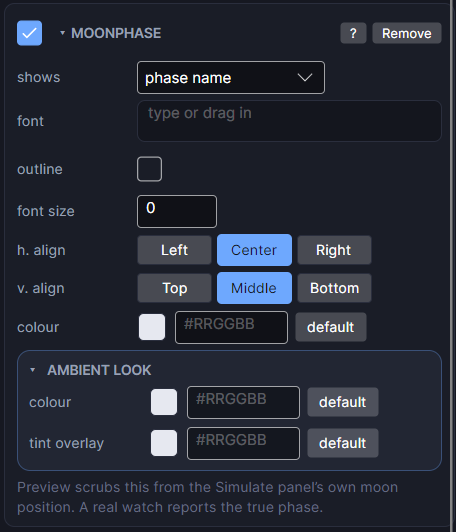
Settings
| Row | What it does |
|---|---|
| shows | phase name ("Waxing Gibbous"), day in cycle (0 to 28 days since the new moon), or artwork: your own picture for each phase. |
| phase pictures | For artwork: one slot per phase, new moon through waning crescent. Leave a slot empty to reuse the picture above it, so four pictures can cover all eight phases. |
| tint / preserve aspect | For artwork: a colour over the picture, and keep its shape. |
| font / font size | Typeface and size. Size 0 means automatic. |
| h. align / v. align | Where the reading sits in its box. |
| colour | The colour of the text. |
The Scene works out the phase from the moon setting in the Simulate tab, so you can scrub through a whole cycle.
Every object also has the shared rows (position and size, ambient look, show when, Color Style and more), explained once in Settings Every Object Shares.