Lumino (AI Assistant)
The assistant built into the editor: what he does well, where a small local model runs out of road, and how to get the most out of Build mode.
About 6 minutes
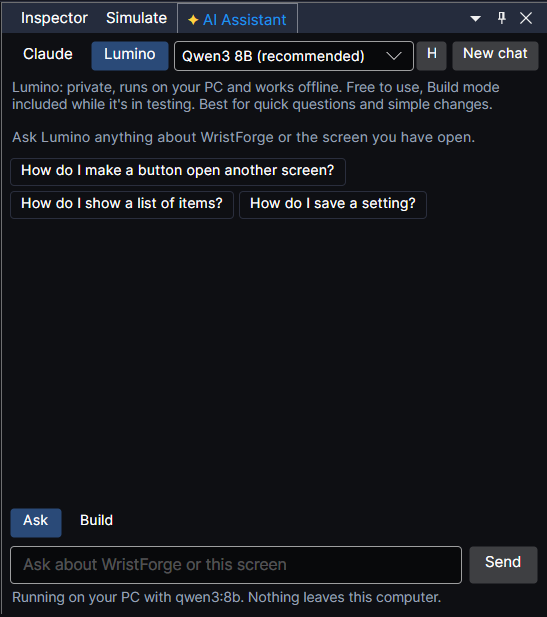
Lumino is the assistant built into the editor. He runs on your own PC, so he works offline, costs nothing to ask, and nothing you type leaves your machine.
Open him from View ▸ Panels ▸ AI Assistant.
Two helpers, two modes
| What it is | |
|---|---|
| Lumino | Runs on your PC through Ollama. Private, offline, free. Best at questions and small changes. |
| Claude | Our server assistant, for bigger builds and game logic. Still in testing with a small group, so the tab may tell you it is coming soon. |
| Ask | He answers questions about WristForge and about the screen you have open. Nothing is changed. |
| Build | He sets things up for you. You see every change first and decide what to apply. |
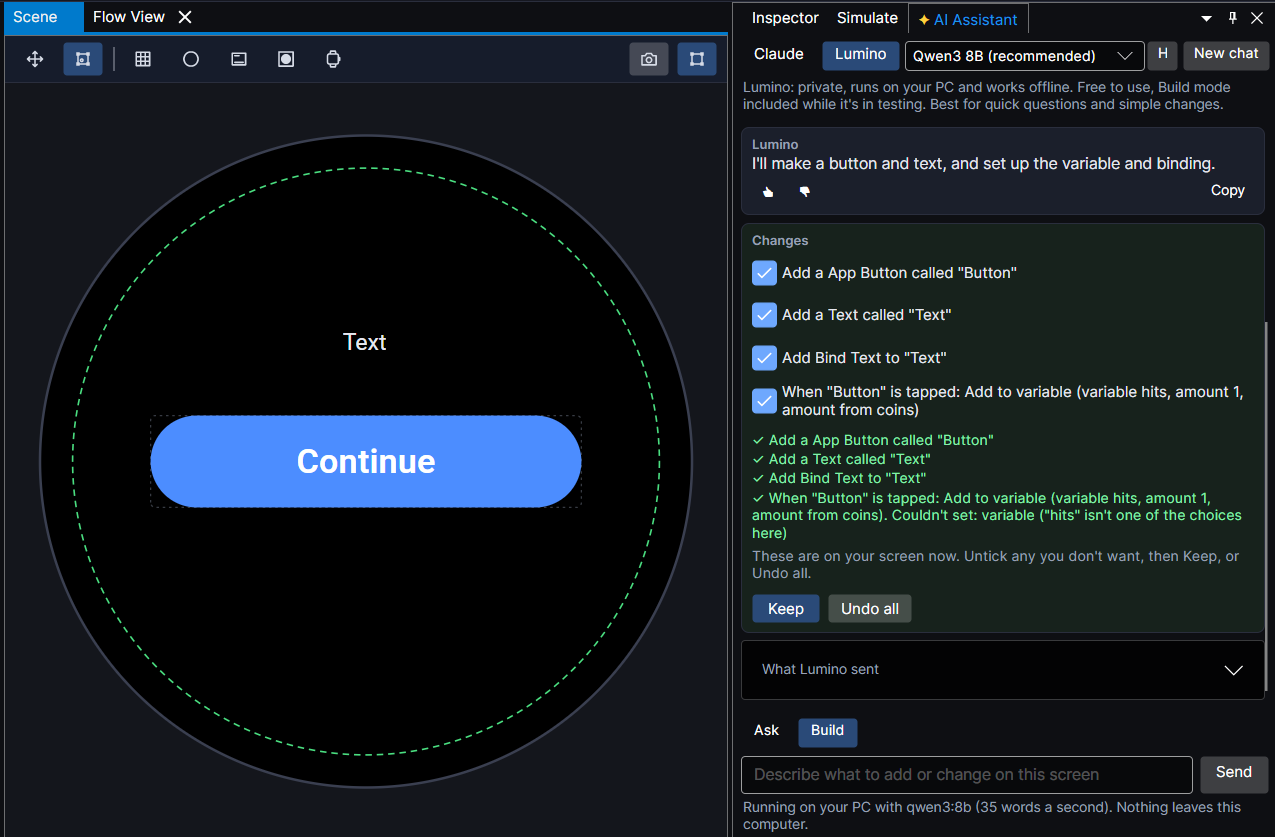
Build mode never changes your project on its own. It shows a card listing exactly what it wants to do, you untick anything you don't want, and nothing happens until you apply it. If you don't like the result, Undo all on the card puts everything back.
What Build is good at
One thing at a time, said plainly:
- Adding an object, a component or an action
- Setting values on the selected object
- Making a list, a table, a data model, an action sheet or a dialogue
- Project variables, enums, items, purchases, languages and save slots
- Screen backgrounds, gradients and music
- Showing something only while a check passes
It helps to name things the way the editor does, and to say which object you mean. "Add a button called Pay" beats "add a button", and "when Pay is tapped, add 1 to coins" beats "make the button work".
What it struggles with
Lumino is a small model running on your graphics card, and that has real limits. These are the ones you will meet:
Two things in one sentence. Ask for a list and a button that fills it, and you will often get the list and nothing else. Send the second half as its own request.
Deeply nested content. A dialogue with several lines, each with its own choices, is a lot of structure to get right in one go. If a dialogue comes back as "that wasn't valid JSON", write it in the Dialogue Editor instead, which is faster anyway once there is more than a line or two.
Settings that only appear after another one is set. Grid Move only shows its chase target once its drive mode is set to chase, so asking for both at once can half land. Set the mode first, then the target.
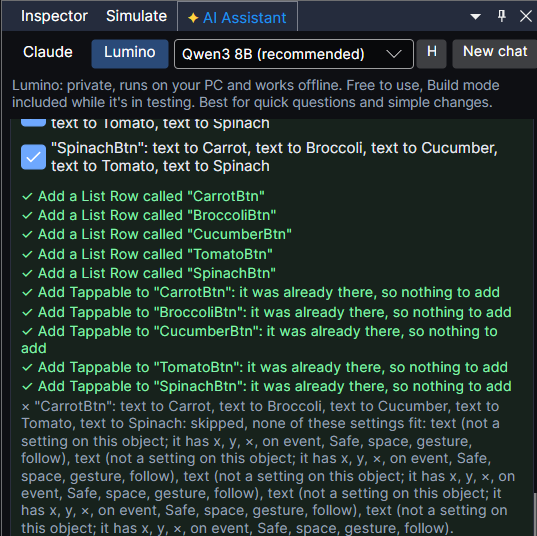
Names that nearly match. A game object has both a draw mode and a drive mode, so a request that just says "mode" is ambiguous. The editor will tell you it couldn't set it and list the real settings rather than guess, because guessing wrong is worse. Use the name shown in the Inspector.
If a change is skipped, the card says why in plain words. That reason is usually the fastest way to fix the request.
Getting more out of it
- Select the object first. "When this is tapped" works on whatever is selected.
- One request per thing. Three short requests land more often than one long one, and each gets its own card.
- Say the real names. Of objects, variables, lists and settings.
- Read the card. It is quicker to untick one wrong line than to undo everything.
A larger local model does noticeably better if your machine has the memory for it. Lumino is built and tested against a small one on purpose, because that is what most machines can actually run, so you are not missing a feature by staying there. For anything big, ask Lumino anyway: he will offer to pass it to Claude once Claude is available to you.
When he gets it wrong
Tell us. Use Help ▸ Report a Bug and paste the request you typed and what came back.
This is worth doing even when it looks like the model's fault, because often it isn't. A good share of what has been fixed so far was the editor being too fussy: a setting it refused to match, an asset shape it wouldn't read, a change it dropped without saying why. Those get better for everyone, including Claude. The quickest way to find them is someone typing a reasonable request and telling us it didn't work.