Screens
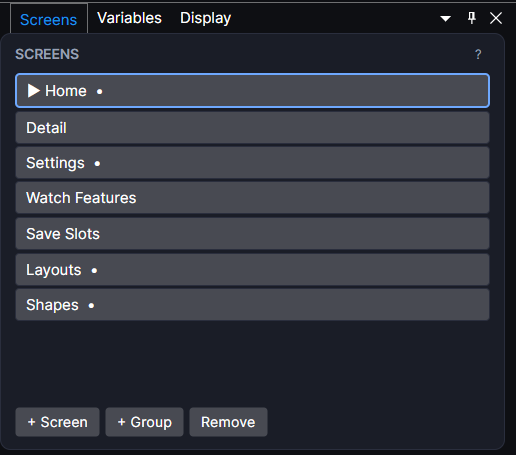
The list of every screen in your project. Click one to make it the active screen you're editing.
About 3 minutes
A flat list of the project's screens. Click one to switch the Canvas, Hierarchy, and Inspector over to it; + Screen adds a new one.
Screen vs. Level
+ Screen adds a lightweight UI overlay (a menu, a title card, a HUD). A World Level is a persistent game world instead: the kind of screen a platformer or physics game plays inside. Both live in this same list.
The editor remembers where you left off
Reopening a project restores whichever screen was active when you last closed it. You don't need to re-navigate to where you were working.