Battles Window
Window ▸ Battles: which values make a team, how points move, and your house teams.
About 5 minutes
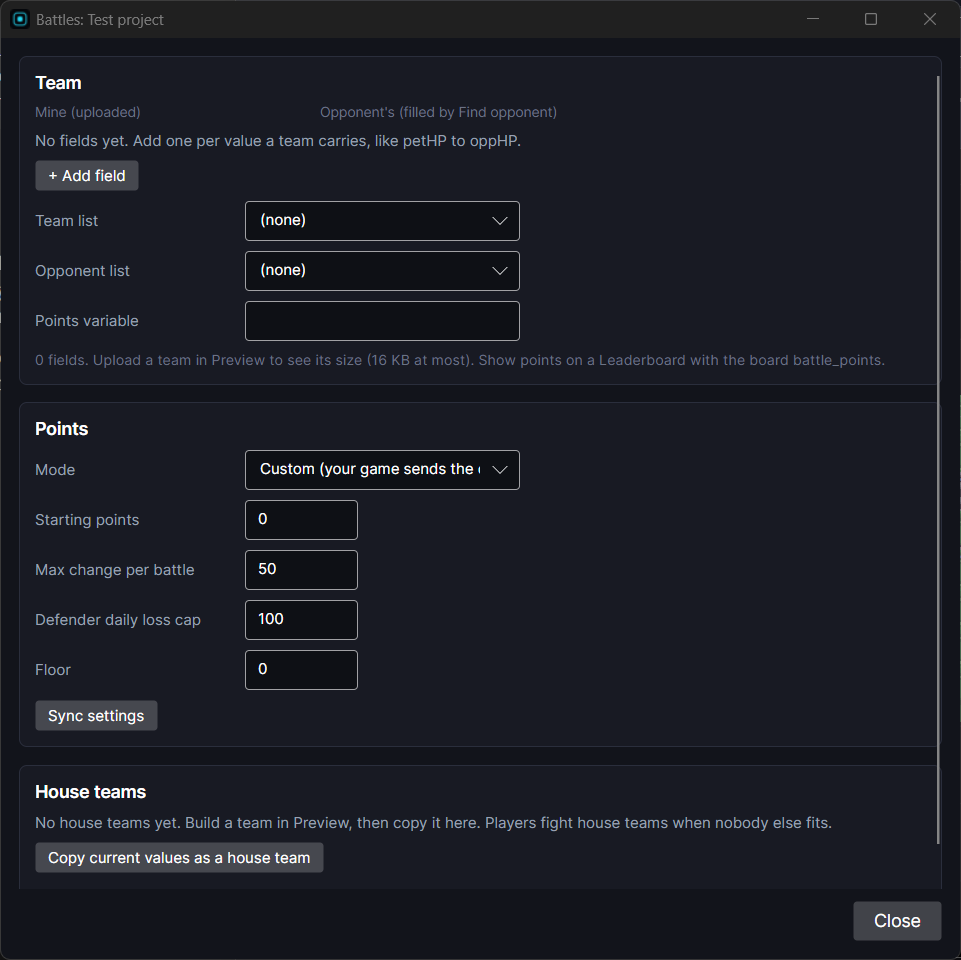
Window ▸ Battles… sets up Battles for a game: what a team carries, how points move, and the house teams players can fight. Everything saves with the project as you edit. It's for games only.
Team
Team fields
One row per value a team carries. Each row pairs two variables:
- Mine (uploaded): read when the player uploads their team. Its name is the value's name in the team.
- Opponent's: where a found opponent's value is written.
Use Project (global) variables. Number and Text both work; keep each pair the same type. For example petHP → oppHP, petName → oppName.
Your battle screen then shows and uses the opp variables like any others.
Team list and Opponent list
Optional. Pick a list whose records go along with the team (a party of several pets) and the list a found opponent's records load into. Records carry number fields only.
Points variable
Optional. A Number variable that always holds the player's points, updated after uploads, results and news.
Size
The window shows how big the last team uploaded in Preview was. A team can be up to 16 KB, which is plenty: a party of six with stats and moves is under 2 KB.
Points
- Mode: Custom (your game sends the change), Elo (automatic ranked points) or None.
- Starting points: where a new player starts.
- Max change per battle: the most either side can move in one battle.
- Defender daily loss cap: the most a player can lose in a day from being attacked. 0 means never.
- Floor: points never go below this.
Press Sync settings to send them to the site. You need to be signed in, and the game registered (build it once while signed in).
House teams
Teams you make, for testing and as NPC rivals. Players fight them when nobody else fits, and their points never change.
- Copy current values as a house team: while Preview runs, saves the team exactly as it is right now.
- Rename it, set its points (matchmaking picks the house team nearest a player's points), then Upload to send it to the site. A house team with the same name is replaced.
- ✕ removes it from the project. The site keeps its copy until you remove it on your game's dashboard Battles tab.
House teams also show in Simulate ▸ Battles, so you can fight them in Preview.