GuideOctober 28, 2026 · 12 min read
What is WristForge? A watch face maker and no-code app builder for smartwatches
WristForge is a free watch face maker and no-code builder for smartwatch apps. Design for Wear OS and Amazfit, test on your wrist, then publish.
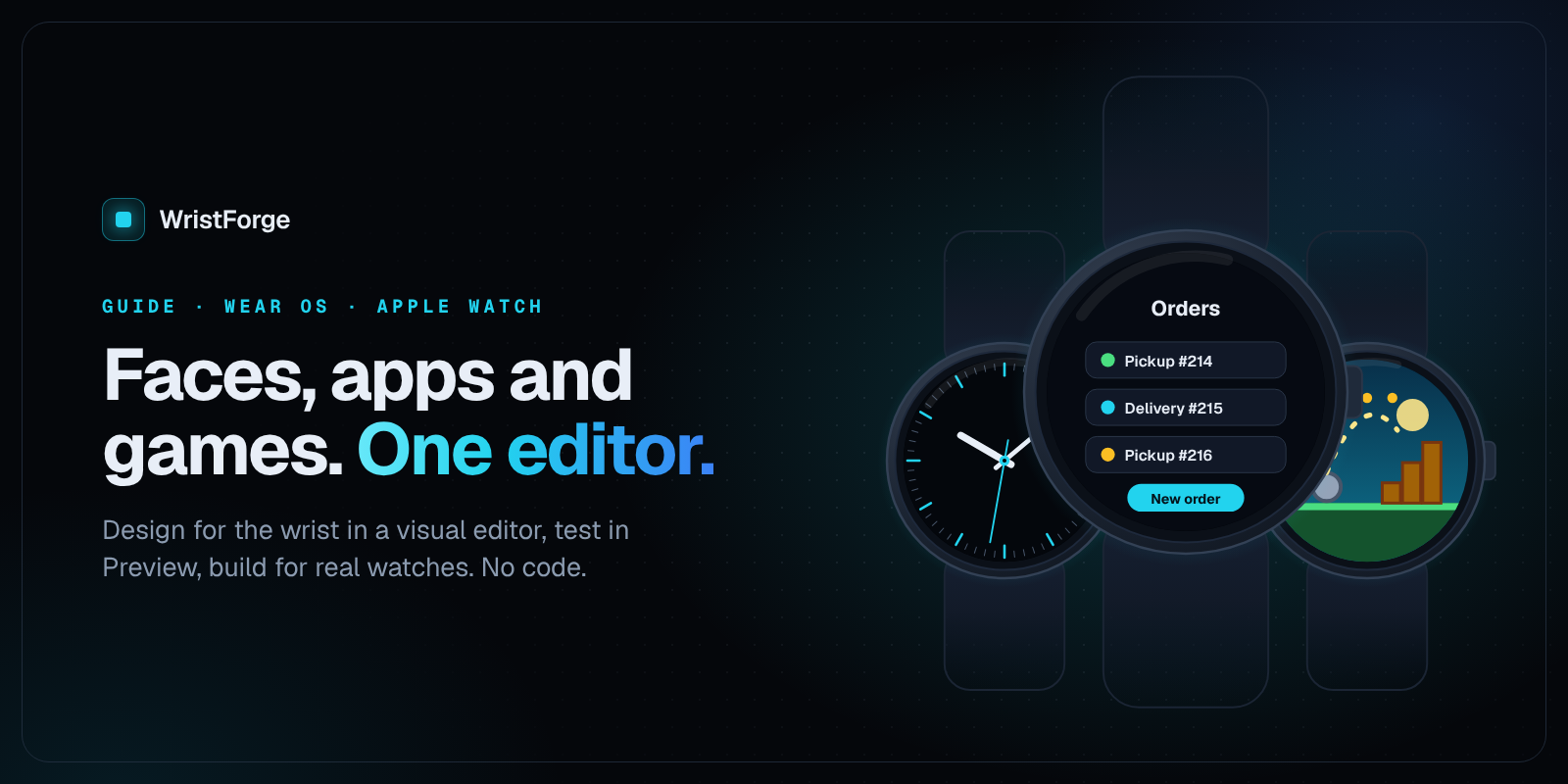
WristForge is a free, visual editor for making watch faces and smartwatch apps without coding. You arrange layers on a canvas, set things in an Inspector, drag bars on a Timeline, and press Build. One project can become a Wear OS watch face, an Amazfit watch face, or a watch app that runs on Wear OS and Apple Watch. There are no scripts to write and no expressions to type.
This guide covers what WristForge is, who it is for, what each kind of project can do, which watches it supports, what it costs, and how to get started.
What WristForge is, in one paragraph
WristForge is a desktop editor made by Stone Golem Studios, a small game studio that ships watch games. It looks and feels like the design tools you may already know: a Hierarchy of objects, a Scene you drag things around in, and an Inspector for whatever is selected. Under the hood it writes the real thing for each watch. A watch face becomes Google's Watch Face Format for Wear OS, or a Zepp OS face for Amazfit. A watch app becomes Kotlin for Wear OS and a Swift project for Apple Watch. You never see that code unless you want to.
Alongside the editor there is Face Hub, a watch face app for Wear OS where faces made in WristForge live, and a public catalog of every Face Hub face on the web.
Who WristForge is for
- Watch face designers. If you already make faces in Watch Face Studio or Facer, WristForge adds a keyframe Timeline, wrist-tilt parallax, masks, real text outlines and soft shadows, without typing expressions.
- People who have never made a face. You do not need to know how to code, and you do not need a watch until the last step. The Your First Watch Face tutorial takes you from a blank page to a face on your wrist.
- Creators who want an audience. You can publish faces to Face Hub for free, with no Google Play developer account, and you can still ship the same face on Google Play under your own name.
- Small studios and businesses that need a watch app. A counter, a timer, a screen that shows a number from your server, a tool your staff wear on shift.
You need to be at least 16 to create a WristForge account. You can download the editor and start building without one.
The three kinds of project
When you click New project in WristForge Hub, you pick what you are making. Each kind uses the same editor, with the tools that do not apply put away so the menus stay short.
Watch faces
A watch face project is a single screen built in Google's Watch Face Format (WFF), which Google now requires for new Wear OS watch faces. A WFF face is a set of instructions rather than code: the watch draws it itself, which keeps it fast and light on the battery, including in always-on mode.
What you can put on a face:
- Time and date: Analog Clock (with its own hands), Digital Clock and Date Text.
- Complications: up to eight live data slots the wearer fills, in five shapes.
- Readouts: battery, heart rate, steps, weather and forecasts, moon phase and unread notification count.
- Gauges: progress bars, arcs, circles and segmented arcs.
- Art and type: images, shapes, text, curved text, tick rings, and a Photo Slot for the wearer's own photo.
Then the parts that make a face feel finished:
- A real Timeline for the whole day. One row per layer across 24 hours. Drag bars to show and hide layers at certain hours, crossfade between them, and keyframe opacity, position, scale, rotation and tint with easing. See Time-of-Day Windows and Animating with Property Tracks.
- Colours the wearer picks. Color Styles let the wearer choose a palette on their watch, and Flavors bundle styles into named presets.
- Motion and depth. Layers that tilt with the wrist for parallax, masks that crop a photo into any shape, frame animations from a sprite sheet, and one-click spin, pulse, blink and bob.
- Ambient mode, one dot per layer. Every layer decides whether it stays on in always-on mode. See Ambient Mode.
The same face project can also build for Amazfit watches running Zepp OS. You keep one face and give it an Amazfit layout where the screen shape needs it. See Amazfit Watch Faces.
Apple does not allow third-party watch faces on Apple Watch, so no tool can make one. WristForge faces are for Wear OS and Amazfit. Apple Watch support in WristForge is for apps, and later games.
Watch apps
An App project is for tools and utilities: a few screens of buttons and text that do one job well. The Your First App tutorial builds a tap counter that remembers its number, so you see the whole loop in one sitting.
App projects can:
- Hold variables (named numbers or text) that can be saved, so they survive closing the app.
- Run actions when something is tapped, using a Tappable component, or when an event fires.
- Read the wearer's steps, heart rate, motion and local weather. See Watch Features.
- Fetch data from the internet from your own server or any web API. See Fetching Data from the Internet.
- Send local notifications and show an ongoing activity. See Notifications and Ongoing Activities.
- Put your numbers on the watch face as complications, and in Tiles on Wear OS or the Smart Stack on Apple Watch. See Complications and Tiles.
- Sell a one-time unlock or a consumable with In-App Purchases, through Google Play Billing and StoreKit.
One app project covers both Wear OS and Apple Watch. Wear OS watches are mostly round and Apple Watches are rectangles, so the Display tab switches which watch's layout the Scene shows. Anything you have not moved by hand on the other watch is placed for it automatically. Actions, variables and screens are always shared; position, size, colours and text can differ per watch.
The Wear OS build installs straight onto your paired watch. The Apple Watch build needs a Mac with Xcode to finish.
Games (coming next)
The game side of the editor is in development. The same canvas will build watch games too (tap and reflex, idle and incremental, puzzle, virtual pet, RPG, endless runner), with logic wired visually and one project that builds for both Wear OS and Apple Watch. When games ship they get their own plan. Until then, this guide sticks to what you can build today.
A quick tour of the editor
If you have used a design tool or a game engine, the layout will feel familiar.
- Hierarchy (left): every object on the current screen. Lower rows draw on top. This is where you add, rename and group things.
- Scene (middle): the screen as it looks on the watch. Click to select, drag to move, pull handles to resize.
- Inspector (right): the settings of whatever is selected, including its components, the pieces that give an object a job, like showing text, filling a gauge, or reacting to a tap.
- Add Object: lists everything the current project kind supports, so a watch face shows clocks, complications and readouts, and an app shows app buttons and title text.
- Timeline (Window, then Timeline, or Ctrl+T): the 24-hour view for watch faces.
- Simulate tab: pretend it is midnight, the battery is at 5 percent, it is raining, or the wrist is tilted, and see your work react. See The Simulate Tab.
- Preview (F5): run an app or game inside the editor and tap around with the mouse. Stop it and nothing is saved.
- Problems (Window, then Problems): a list of anything that will not work on a real watch, before you build.
Bring your Watch Face Studio work
Coming from Samsung's Watch Face Studio? Open your own .wfs project and WristForge rebuilds it layer by layer: layers, groups, art, GIFs, fonts, complications and Conditional Lines come across, with a plain report of anything that needs a touch-up. It only imports your own project files, never APKs. Because the package name comes with it, you can even update an existing Play listing with your original signing key. The full walkthrough is in Bring your Watch Face Studio faces to WristForge.
Getting your work onto a watch
Everything lives in Build, then Build…. The first time you build, WristForge offers to download the Java and Android tools it needs, so there is nothing to install by hand. Build, then Devices… pairs a watch over Wi-Fi or USB, once per watch.
| Build | What it's for |
|---|---|
| Debug APK | Installs straight onto your paired Wear OS watch. The fastest way to see your work on your wrist. |
| Signed APK | A release build signed with your own key. Sideload it or give it to someone. |
| Google Play bundle | The .aab file Google Play needs for a store listing. Part of a paid plan. |
| Face Hub build | One .zip, ready to upload to Face Hub from the WristForge site. |
For Amazfit, pick the Amazfit build and scan the code it shows with the Zepp app on your phone. To publish for other Amazfit owners, build a Zepp Store package.
More detail: Getting Your Face Onto a Real Watch, Publishing on Google Play and Publishing on the Zepp Store.
Face Hub: where WristForge faces live
Face Hub is the WristForge watch face app for Wear OS. It runs right on the watch, so you can browse and install from your wrist with no phone involved, and there is a companion phone app for when a bigger screen helps. There are no ads anywhere in it.
Face Hub is also how you share your work. Build a Face Hub build, upload it from your creator page on the site, and after a review it is live for Face Hub users. Publishing is free and needs no Google Play account. Face Hub installs faces with Google's Watch Face Push, which needs a watch on Wear OS 6 or newer.
You can browse the whole catalog on the web at /watch-faces. For the full story, read Every Face Hub watch face, on the web.
Learn: a guide for every setting
The Learn section has step-by-step tutorials and a page for every component and window. Start with Your First Watch Face or Your First App, then use Watch Face Projects, Complications, the Inspector and the Hierarchy pages as references when you need them.
WristForge pricing
The short version: the editor is free, and you pay to ship to a store.
| Plan | Price | What it adds |
|---|---|---|
| Free | $0 | The complete editor, unlimited projects, Preview and Simulate, signed APKs for your own watch, pushing a face to your own watch through Face Hub, and putting faces on your own Amazfit with the Zepp app. |
| Faces | $29.99 a year | Google Play bundles of your watch faces, Zepp Store packages for Amazfit, and every WristForge-made face on Face Hub unlocked. |
| Pro | $59.99 a year, or $7 a month | Everything in Faces, plus Google Play bundles of your watch apps, cloud projects you can open on any computer, and cloud saves for the apps you ship. |
A few terms worth knowing up front:
- Your projects are yours. They live on your own disk in an open format. A lapsed subscription never locks you out of your work.
- What you shipped stays shipped. A Play listing is on your own developer account under your own name, and WristForge takes no cut of your Google Play sales.
- Google Play has its own fee. A Google Play developer account is a one-time $25 fee paid to Google, and new personal accounts need a closed test with 12 testers for 14 days before going to production. Installing on your own watch and publishing to Face Hub need no Play account.
Local sales tax or VAT is added at checkout where it applies. See the pricing page for the current details.
Download WristForge
WristForge runs on Windows and Linux today, with Mac planned. You download WristForge Hub, which installs the editor, keeps it up to date, and opens each project with the right version. On Windows you can also get the Hub from the Microsoft Store. No account is needed to start building; you only need a free one when you want to publish to Face Hub or subscribe.
Frequently asked questions
Do I need to know how to code to make a watch face or watch app?
No. You arrange layers on a canvas, set things in the Inspector, add actions to buttons and drag bars on a Timeline. There is no scripting and no expressions to type.
Is WristForge really free?
Yes. The full editor is free with unlimited projects, no watermark and no time limit. You can build a signed APK, put a face on your own Wear OS watch through Face Hub, or put it on your own Amazfit with the Zepp app, all for free. The paid plans are for publishing on Google Play or the Zepp Store under your own name.
Which watches does WristForge support?
Watch faces build for Wear OS watches that run Google's Watch Face Format (Wear OS 4 and newer) and for Amazfit watches that run Zepp OS. Installing through Face Hub needs Wear OS 6 or newer. Watch apps build for Wear OS and Apple Watch.
Can I make Apple Watch faces with WristForge?
No. Apple does not allow third-party watch faces, so no tool can make them. You can build Apple Watch apps in WristForge; the Apple Watch build needs a Mac with Xcode to finish.
Can I make a Wear OS game with WristForge?
Not yet. The game side is in development and will build for both Wear OS and Apple Watch from one project. Watch faces and apps are what you can build today.
Do I own what I make?
Completely. Projects live on your own disk in an open format, and anything you publish on Google Play or the Zepp Store sits on your own developer account under your own name. Faces you publish on Face Hub stay yours too; publishing only gives Face Hub permission to list and install them.
Can I import my Watch Face Studio projects?
Yes. Open your own .wfs project and WristForge rebuilds it layer by layer, with a report of anything that needs a touch-up. It only imports your own project files, never APKs.
Start building
The quickest way to see what WristForge can do is to make something small. Download WristForge, open the Your First Watch Face tutorial, and you can have a face on your wrist in an afternoon. When you are ready to go further, check the plans or browse Face Hub for ideas.