The Simulate Tab
Pretend it's midnight, the battery is low, or it's raining, and see your face react. Nothing here is saved.
About 5 minutes
The Scene and Preview have no real heart rate, battery or weather. The Simulate tab is where you fake them while you design, so a Battery Level readout or a Weather Sprite has something believable to show without a watch on your wrist. It's modelled on Watch Face Studio's Preview Data.
Where it is
Simulate is a tab in the editor's dock, beside the other panels. It applies to the whole face, not to one object. It's most useful while Preview is running (F5), but the Scene follows it too.
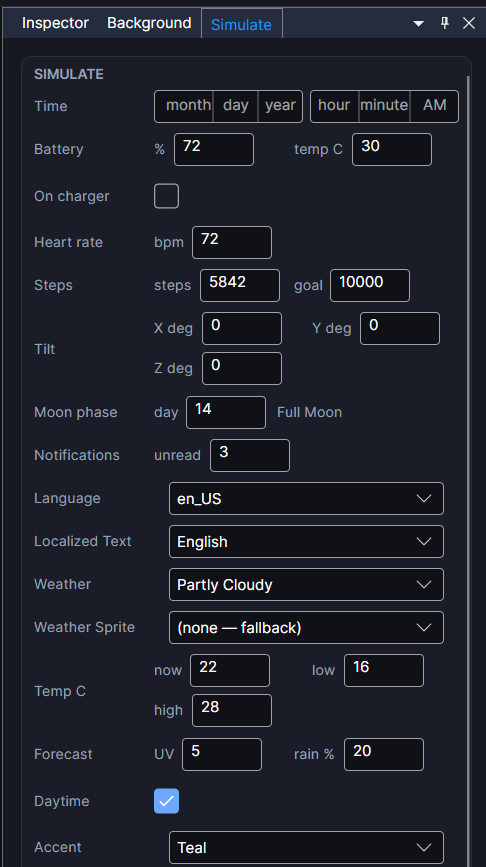
What you can set
- Time and date: a specific moment. Leave it empty and Preview follows the real clock.
- Battery: 0 to 100 percent.
- Heart rate: 30 to 220 bpm.
- Weather: a condition (clear, partly cloudy, cloudy, rain, snow, thunderstorm) and a temperature.
- Steps and step goal, battery temperature, moon phase, unread notifications, and more, for the readouts that use them.
- Color Styles: which option is picked for each style, so you can see every look. See Color Styles and Flavors.
Nothing is saved
These are test values only. They're never saved into your face, and they reset when you reopen the editor. They can't show you how a real screen dims, or whether a particular watch's heart rate sensor reports as expected. For those, see Getting Your Face Onto a Real Watch.
The time here, the Scene's time bar and the Timeline's playhead are one clock: move any of them and the others follow. See Watching and Testing the Timeline.