ReleaseNovember 8, 2026 · 5 min read
WristForge 0.1.15: Watch Face Studio Imports That Match, and Fonts the Wearer Can Pick
WristForge 0.1.14 is out. Watch Face Studio edge complications import the way you made them, wearers can pick your face's font, and Curved Text gets two new options.
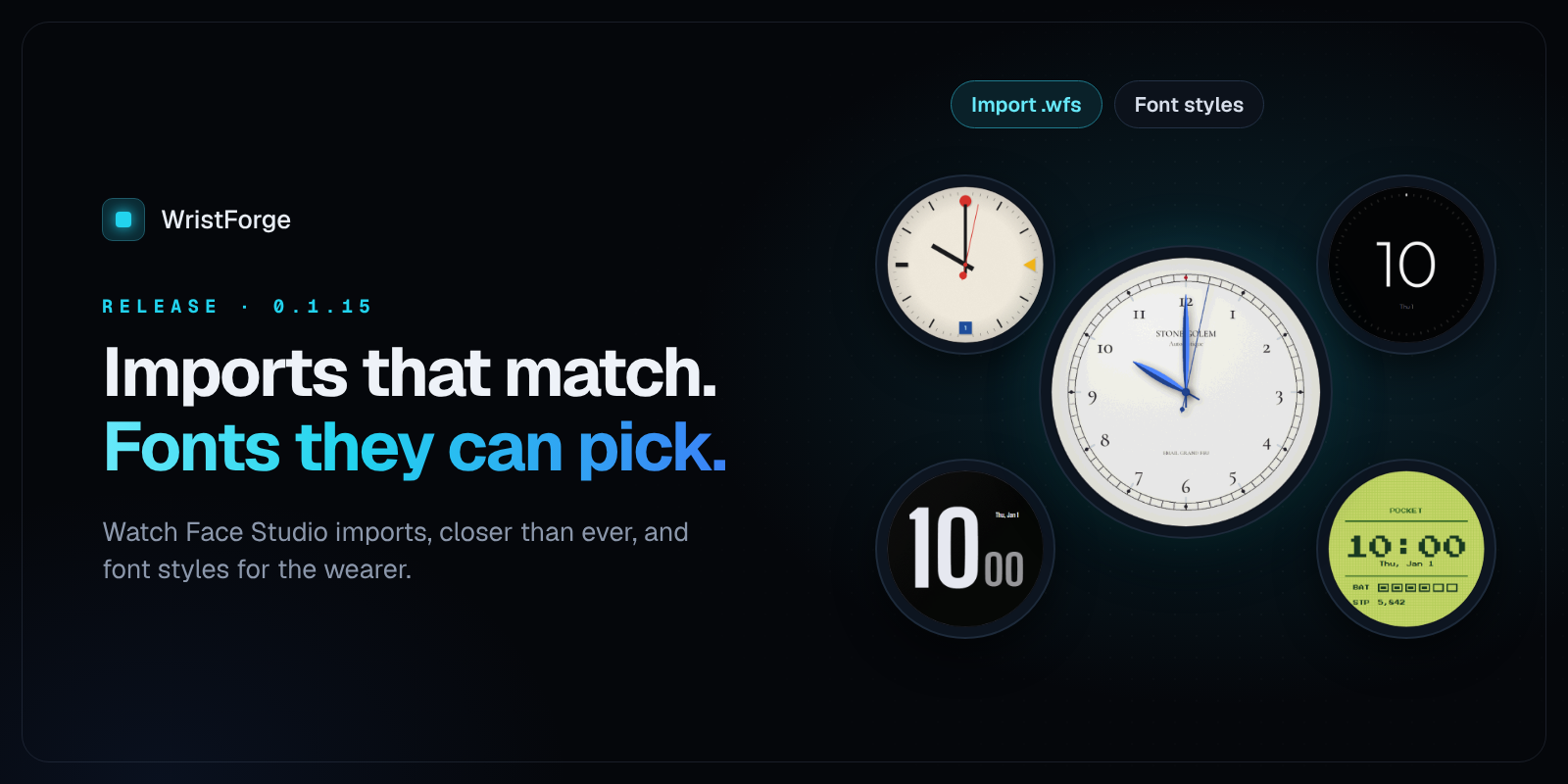
WristForge 0.1.15 is out. This release is mostly for watch face designers: Watch Face Studio projects now import much closer to how they looked in WFS, the wearer can pick the font of your text right on their watch, Curved Text gets two new options, and new complications start with a layout that feels familiar. There's also a round of fixes, including one that matters if you use Save As.
Here's everything in it.
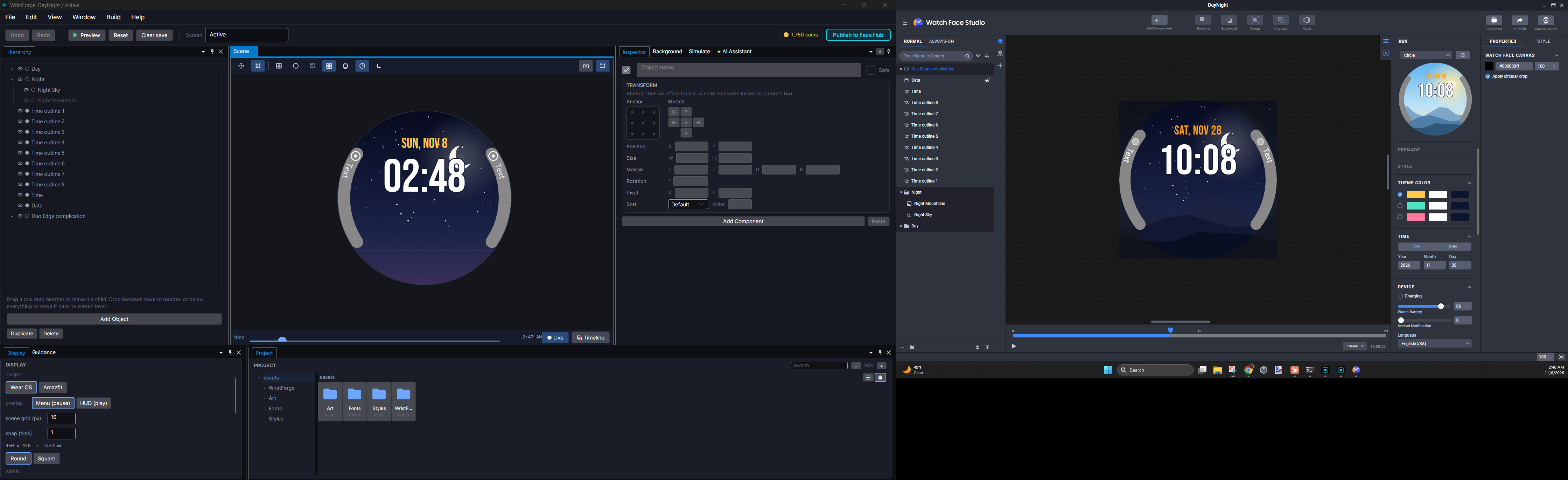
Watch Face Studio imports, now much closer to 1
If you've built faces in Samsung's Watch Face Studio, you can open your .wfs project in WristForge from the Hub (Import from Watch Face Studio...) and keep working on it. This release closes the biggest gaps we found in complications.
Edge complications look the way you made them
Edge complications are the curved slots that hug the side of the watch. They now come over the way they look in WFS:
- The slot bound comes over. That's the grey, pill-shaped band WFS draws round an edge slot. Like in WFS, it's a guide for the editor only: you see it in the Scene and in Preview so your layout reads the same, and it never goes on the watch. Each imported slot has a show slot bound switch in the Inspector if you'd rather hide it.
- The icon sits where you put it, at the top of the band, instead of in the middle on top of the text.
- The label reads the same way. On both the left and right edge, the text reads top to bottom, and starts right below the icon, just like WFS.
Progress arcs inside complications
Ranged value complications (a ring that fills with battery, steps or a goal) now keep their arc: its size, thickness, rounded or square ends, and where it starts and how far it goes. Before, they came in as a plain full circle.
Rotated layers land in the right place
Watch Face Studio often turns layers around the centre of the dial: complication pieces, index ticks, anything you rotated into place round the face. Those now land exactly where they were in WFS.
The full walkthrough, including what the importer brings over and what to check before you put the face back on a watch, is in How to Import a Watch Face Studio Project.
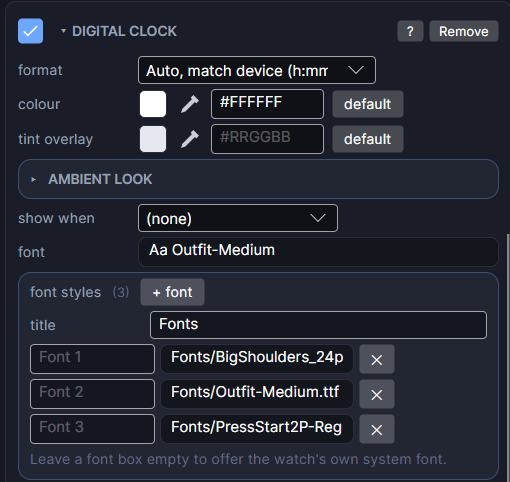
Font styles: let the wearer pick the font
Google's own Wear OS faces let the wearer change the font from the watch's Customize screen. Now yours can too.
- Select a text object on your face (a Digital Clock, a Date, a plain Text, and so on).
- In the Inspector, under the font settings, find font styles and click + font.
- Pick a font for each choice and give it a name the wearer will see, like "Rounded" or "Classic".
- Give the setting a title, like "Font". That's the name of the setting on the watch.
The font you already set on the object is always the first choice ("Default").
Change several texts with one setting. Select the time, the date and anything else that should match, add the same fonts, and give them the same title. They become one setting on the watch, so the wearer changes them all at once.
Flavors can preset it. If you make Flavors (ready-made versions of your face), the font setting shows up in the Flavors window next to your other styles, so a flavor can start on a different font.
Preview always shows the object's own font. To see the font switch, build the face to your watch and open Customize.
Curved Text: two new options
Curved Text has two new switches on its card:
- read inside runs the text the other way round the circle, with the tops of the letters facing the centre. Use it for text on the left or bottom of the watch, so it reads top to bottom or left to right instead of upside down.
- start at position makes the text start at the object's position and grow from there, instead of being centred on it. Handy when something sits before the text, like an icon: a longer value grows away from the icon instead of back over it.
Both work in Preview and on the watch.
New complications start with a familiar layout
When you add a Large Box or Line complication, its icon now sits on the left at full height, with the title and text stacked beside it, the way most watch face tools lay them out. Before, everything stacked top to bottom. Small Box, Circle and Edge complications are unchanged.
This only changes new complications (or picking a layout again on an existing one). Complications already in your faces keep their layout.
Fixes
- Save As copies your whole project. Before, File ▸ Save As only copied your screens and settings, so the copy was missing its art, fonts and color styles. It now brings the whole project folder along. Handy for making a "Pro" version of a face from the free one.
- Recent projects show the right name. A Save As copy shows up in your Recent list right away under its new name, and the start screen now uses the name from Build Settings instead of the name the project was first made with.
- The Color Styles window behaves. You can click from one color field straight into the next, copy and paste work in every box, and a hex code like
#FF8800applies as soon as you've typed it.
How to update
Open the WristForge Hub, go to Installs and install 0.1.14. New versions install beside the old ones, so nothing is overwritten. Set it as your default, and open your projects with it to get everything above.
If you're new to WristForge, grab the free Hub from the download page. What is WristForge? is the full tour of the editor.
Frequently asked questions
Do I need to re-import my Watch Face Studio faces?
Yes, if you imported a face with edge complications before this release and want the new look. Import the .wfs again into a new project. Your earlier import isn't changed.
Does the slot bound show on the watch?
No. It's an editor guide, the same as in Watch Face Studio. It shows in the Scene and in Preview only.
Which objects can have font styles?
Any text on a watch face: Text, Digital Clock, Date, Curved Text and the other readouts that draw text (battery, steps, heart rate, weather). Complication text isn't included yet.
Try it today
WristForge 0.1.15 is free. Install it from the Hub, import a Watch Face Studio face, and give your wearers a font to choose. If you make something you're proud of, you can publish it to Face Hub for free.