Saving Objects and Lists
Save a hero's stats, a bag of potions or a whole party of monsters.
About 3 minutes
Saved variables cover single values. Games and apps also have things: a player character with a level, an inventory, a list of favourites. How you save them depends on how many copies there are.
| How many | Example | Where | |
|---|---|---|---|
| Data Model (in Save Data) | One fixed copy | The player's level and xp | Save Data… ▸ Data Models |
| List | Any number | A catalog, a collection, a bag, a history | Window ▸ Lists… |
One copy: Data Models
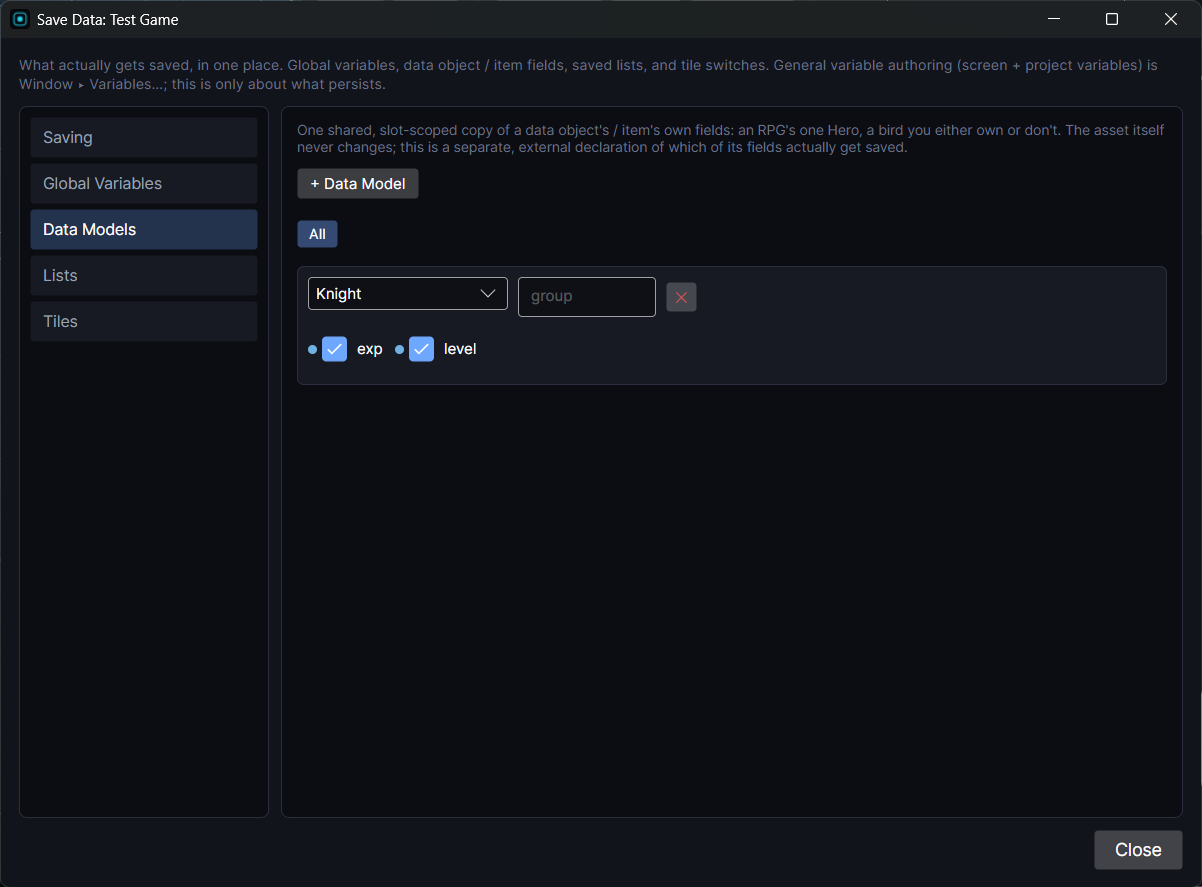
For a thing there's only ever one of (the player's character, an account profile), open Window ▸ Save Data… ▸ Data Models, add an entry, pick the asset, and tick the fields that change during play (level, xp). Leave fixed values like a base stat or a description unticked; they come from the asset.
Read and write those fields like any variable: Player.level.
Many copies: Lists
A List can be filled two ways, and a game usually has both. Take a monster taming game:
| List | Filled by | Saved? |
|---|---|---|
AllMonsters | You, in the editor: every species, in order | No, it ships with the game |
Party | The game, as the player catches monsters | Yes |
Storage | The game, when the party is full | Yes |
Manual lists are a fixed reference you set up by hand: every monster for a Pokédex-style screen, a shop's stock. You add the entries in Window ▸ Lists…. Don't save them; they never change.
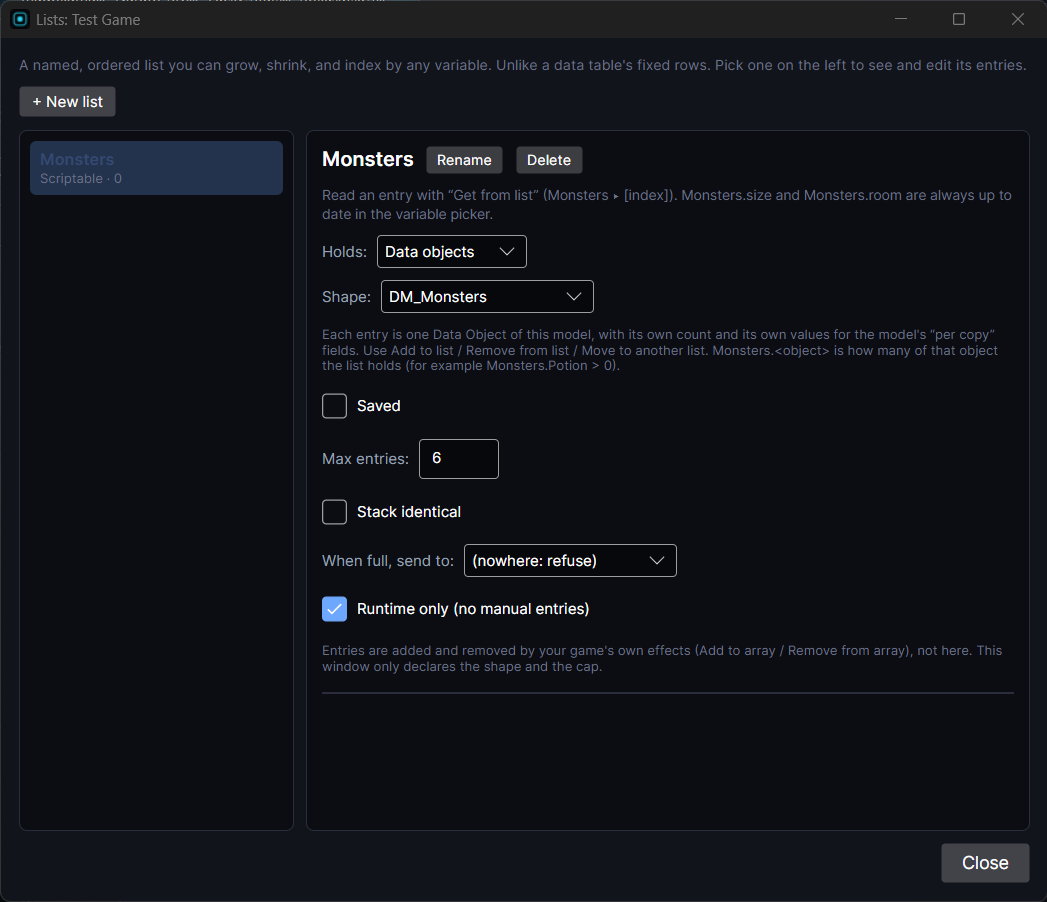
Runtime lists hold what the player has. Tick Runtime only (no manual entries) so it starts empty, tick Saved, and fill it with actions while playing.
To set up the party:
- On the Data Model (say
Species), tick Per copy on each field that's different for every caught monster and changes during play: level, hp, xp. Fixed fields like baseAtk stay shared. - In Window ▸ Lists…, make
Partyholding Data Objects ofSpecies, tick Runtime only and Saved, set Max entries to 6 and When full, send toStorage. - Catch a monster with Add to list. Use Remove from list, Move to another list and Get from list / Set in list from the Items & lists actions for the rest.
A saved list keeps which objects it holds, how many, and every Per copy field, with one copy per save slot. Two of the same monster can have different levels.
Handy extras on the list itself:
- Stack identical: adding a Potion that's already there raises its count instead of adding a row.
Bag.Potionreads how many there are. Party.size,Party.roomandParty.selectedare always-current read-only numbers.
Number and Bool lists can be saved the same way; they keep their whole contents.
To show a list on screen, use the Inventory component.