Save Slots
Several separate saves on one watch: profiles, RPG save files and a slot picker.
About 2 minutes
Save slots let one watch hold several separate saves: profiles for two players, or classic RPG save files. With one slot (the default) there's a single save that's always current and nothing to pick.
Turn them on
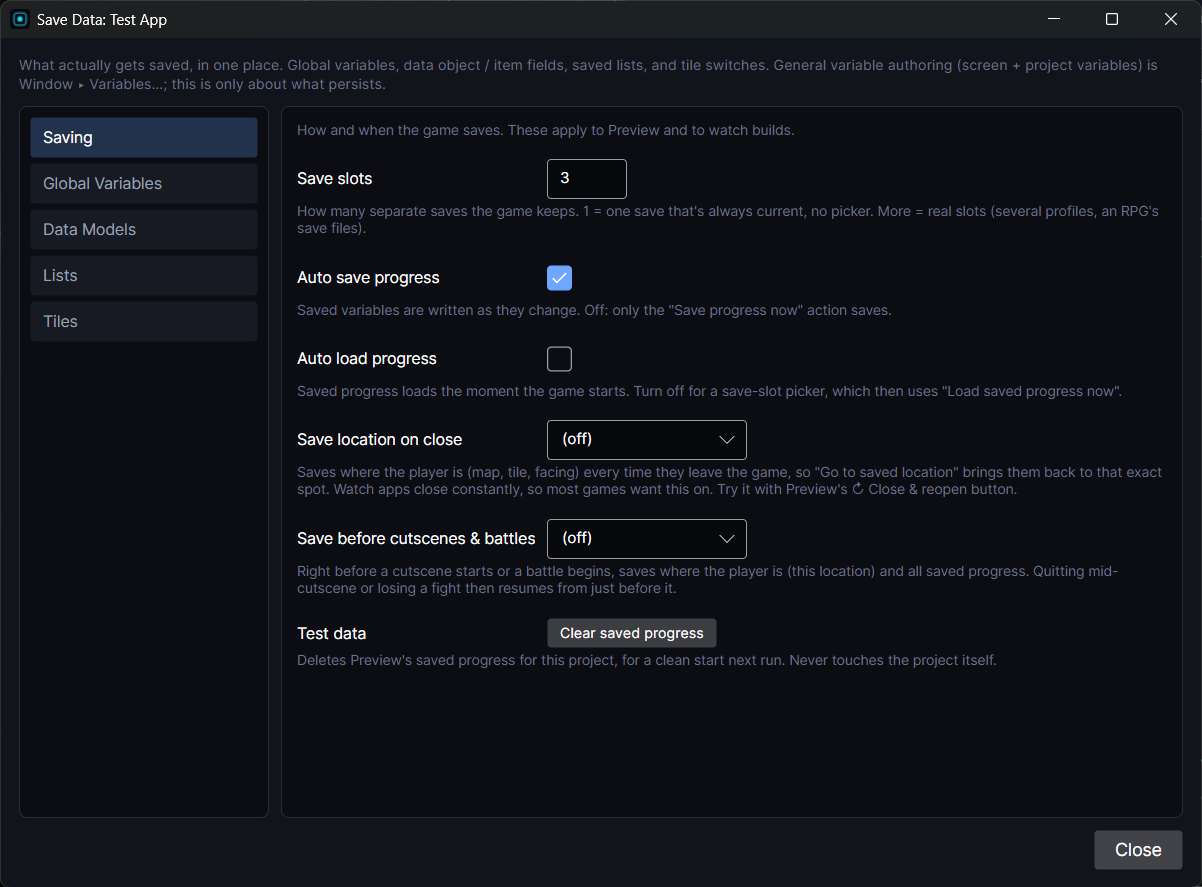
In Window ▸ Save Data… ▸ Saving, set Save slots to the number you want (up to 99). Every saved variable now has one copy per slot.
If players should pick a slot before anything loads, also untick Auto load progress.
A slot picker screen
- Make a start screen with one button per slot.
- Show what's in each slot without switching to it by binding to
slot1.score,slot2.scoreand so on. Any saved variable works this way. - On each button: Select save slot (that slot), then Load saved progress now, then Go to screen your game.
From then on every read and write goes to that slot, and auto save keeps writing there.
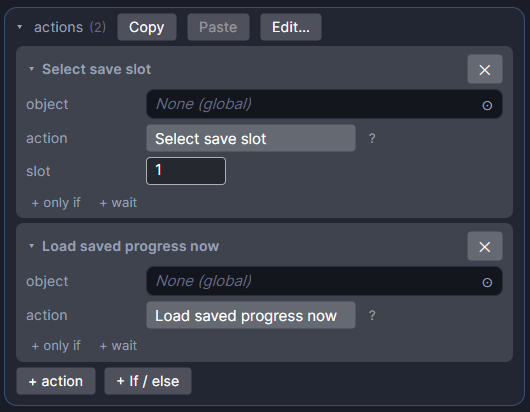
The save actions
All in the Save group:
| Action | What it does |
|---|---|
| Select save slot | Moves the player into a slot. Everything reads and writes there from now on. |
| Save to slot | Copies the current slot into another one. A "Save" menu entry. The player stays put. |
| Load from slot | Copies another slot into the current one, overwriting play in progress. A "Load" menu entry. |
| New game (reset save) | Resets every saved variable in the current slot to its starting value. |
| Save progress now / Load saved progress now | Save or load right now. Only needed when auto save or auto load is off. |
A Continue button
After New game (reset save), set a saved Bool like hasSave to true. A Continue button can then be shown only when hasSave is on.