Photo Slot
The wearer's own photo as the background. One per face, set by the platform.
About 5 minutes
Photo Slot in Add Object is an ordinary Image with its user photo option already turned on. On a real watch, instead of showing a fixed picture, it lets the wearer choose their own photo from their phone.
One per face
Watch Face Format allows exactly one photo setting per face. That's a platform limit. The first Photo Slot that also has a Source image becomes the real photo slot, and its Source is shown until the wearer picks a photo. A second Photo Slot falls back to its own fixed picture, and the editor warns you why.
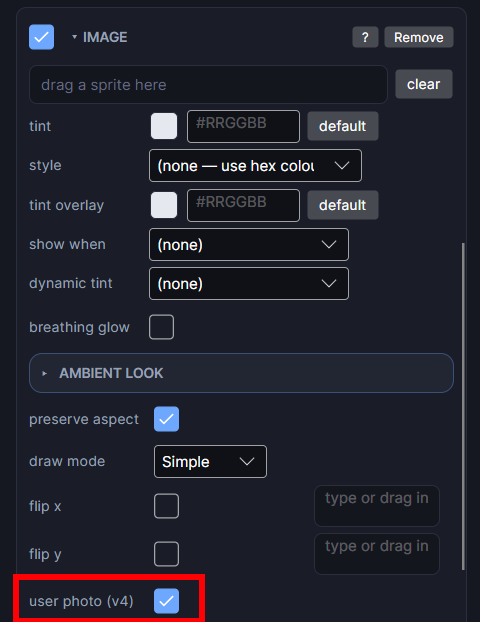
Without a Source image, the slot has nothing to show before the wearer picks a photo. Assign a default picture the same way you would for any Image: drag one from the Project panel onto its slot.
More than one photo
Window, then Photo Galleries… is for letting the wearer cycle through several photos. Watch Face Format doesn't let you bundle photos into a face: the wearer always chooses the actual photos on their phone, through the companion app. What a gallery sets is the default picture shown before they choose, and how the photos change: on every tap, or automatically after a set time.
A photo is usually the first thing to hide in ambient: it's lots of lit pixels. Leave its Ambient dot hollow. See Ambient Mode.