ReleaseNovember 26, 2026 · 4 min read
WristForge 0.1.19: Watch Games and Garmin Watch Faces
WristForge 0.1.19 opens the game side to everyone and brings watch faces to Garmin. Make a watch game for Wear OS, Apple Watch and Amazfit, publish it to the Game Hub, and earn coins when players buy it.
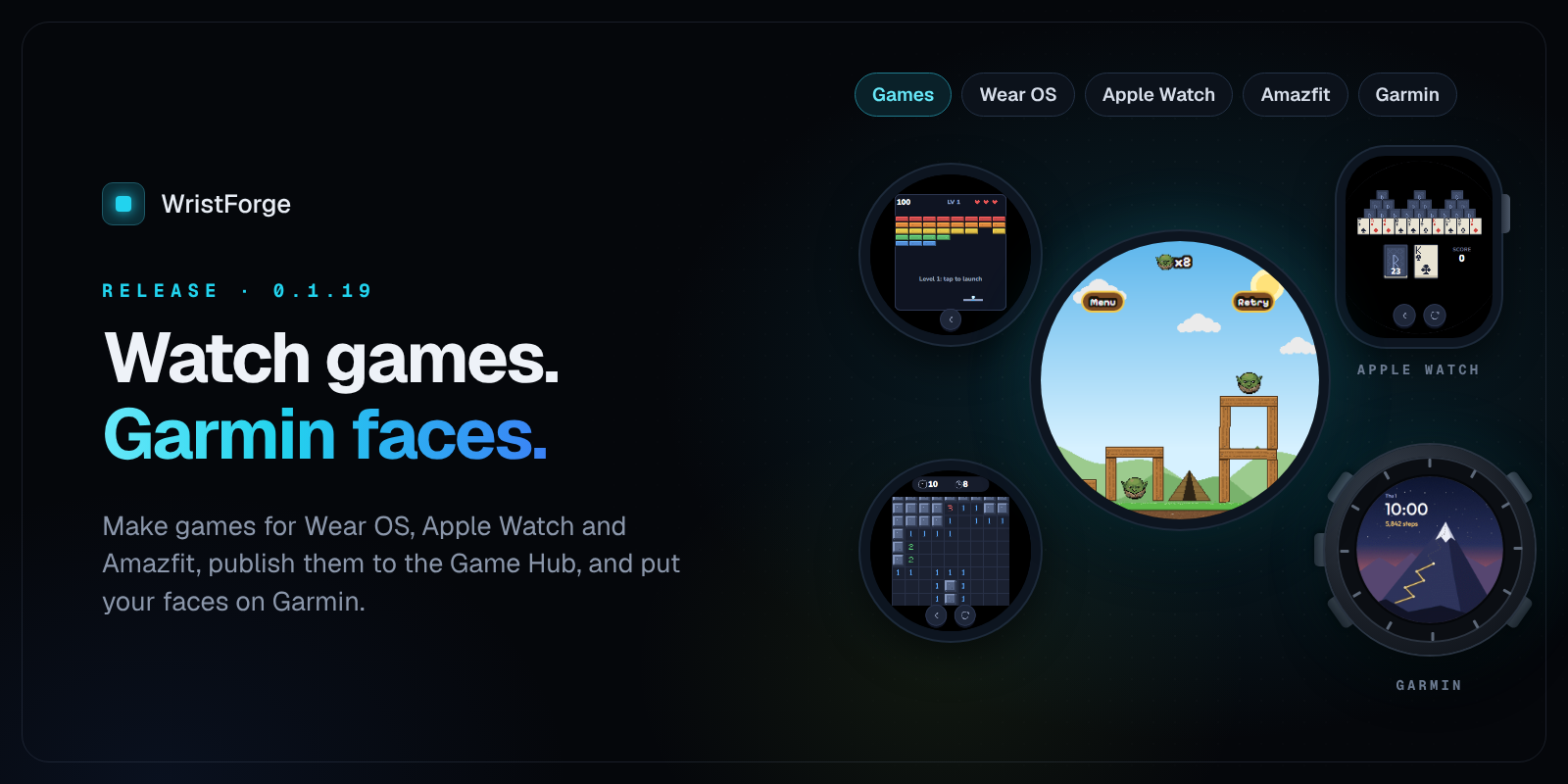
This is the biggest WristForge update yet. The game side of the editor is open to everyone, and your watch faces can now go on Garmin watches too.
To update, open the WristForge Hub. It will offer the new editor version.
Make watch games
Pick Game in New Project and you get the same canvas you already use for apps and faces, with everything a watch game needs: physics and slingshots, grid movement and tile events, turn-based battles, dialogue and cutscenes, cameras, particles, leaderboards and cloud saves. Logic is wired visually in the Inspector. No code.
One project builds for three watches:
- Wear OS: a signed APK for your own watch, free, or a Google Play bundle.
- Apple Watch: an Xcode project, ready to run.
- Amazfit: scan a code with the Zepp app.
Test builds on your own watch are free. Store builds of games come with the Games plan.
We made our own Game Hub games with it: Golem Breaker, Rune Peaks and Runesweeper, with Goblins & Golems joining them. Every one of them was tested on all three watches before this release. You can see them at wristforge.app/games.
A layout for each watch
Round and rectangular watches need different layouts, so a game now keeps a separate layout for each watch, the way apps do. Click Apple Watch on the Display card and your screens are fitted to the taller screen automatically. Anything you move or resize there only changes Apple Watch, and your Wear OS layout stays exactly as it was. The game world itself keeps one layout, so play feels the same on every watch.
Start from a template
New Project comes with game templates to pull apart: Dungeon Crawler, Online Battler and Physics Launcher, a slingshot game with three kinds of shots and four levels.
New ways to play
- Swipes: a Tappable can listen for a swipe left, right, up or down. A swipe area can cover the whole screen and the buttons under it still work.
- Tile taps: a Tilemap can answer taps on any tile, so one map can be a farm, a board or a city full of things to tap.
- Board paths: units can walk to a tapped cell, enemies can chase the nearest hero one step at a time, and you can check if two cells connect. You choose which tiles block the way.
Publish to the Game Hub
The WristForge Game Hub is a free app on Wear OS that holds a whole catalog of watch games, so players find your game next to ours instead of digging through the store. Developers on the Games plan can publish to it right from wristforge.app/creator/games:
- Upload the .wmgame file the editor exports. Your game shows on your own watch, marked TEST, while it waits.
- Every game and update is reviewed before players get it. If something needs fixing, you get a note saying what.
- Make it free, or charge 50 to 2,000 coins. Sell in-game items too, like a full game unlock or a new mode.
- You earn 70 percent of every sale as coins, which you can spend across WristForge.
Watch faces on Garmin
Your watch faces now build for Garmin as well as Wear OS and Amazfit. It works on round Garmin watches with Connect IQ 4.2 or newer, which covers most Garmins from the last few years.
- On your own watch, free: plug it in over USB and build. No watch handy? It opens in Garmin's simulator.
- The Connect IQ Store: the Faces plan and above build the .iq package you upload to Garmin.
- What comes along: clocks, live data, weather, gauges, complications the wearer picks, Color Styles, always-on, and the Timeline.
The first build walks you through Garmin's setup once: Java, Garmin's SDK, and a developer key.
Big games build
Runesweeper's campaign pushed the engine harder than anything before it. One of its screens came out at 21 MB of code, because every custom action was pasted in full wherever it was used. Now each one is written once and called, so the same screen is about 1 MB and the build is much faster. The "Method too large" errors big Wear OS games used to hit are gone, Apple and Garmin builds get the same treatment, and if a screen is still large, the build log tells you which one and why.
Amazfit got faster
Amazfit watches run apps much slower than a phone, so we spent a lot of this update on them:
- Games open faster and play smoother, from level selects to slingshot hits to paddle drags.
- Big games no longer open to a black screen.
- Taps land where you touch on the Bip Max. They were a little off before.
- Sign-in, scores, leaderboards, achievements and cloud saves now work on Amazfit, and a save made on one watch loads on another.
Amazfit still has limits, and the Build window now lists them so you know before you build: about 10 particles and 20 moving things at once, no spawning objects mid-game, and no 2D Lights.
Smaller things
- Animator triggers now reset themselves on every watch build, the same as in Preview.
- Particle Systems on Amazfit follow the same defaults as Preview.
- Deep If / Else blocks that call a custom action no longer skip their actions.
The full list is in the patch notes.
Tell us what you think
Make something and show us. Head to the Community to share what you made, vote on ideas, or report a bug.